
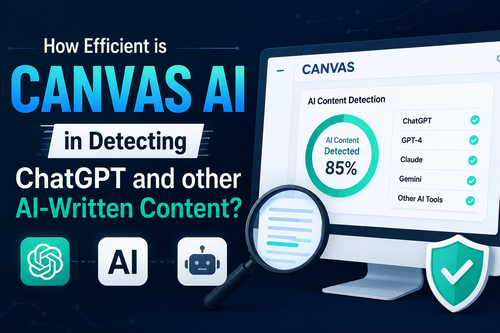
With how quickly people are starting to rely on ChatGPT, it isn’t surprising that the tool has raised a lot of ethical concerns, especially when it involves students. If you are using Canvas AI, chances are that you are a student and have been instructed by your educator to use the platform.
For the users who are new to the concept of Canvas AI and have been wondering how it works, let us break down the basics for you. Canvas AI monitors the mouse clicks, keystrokes, word usage, repetitions, etc. to flag if content is written using AI.
In case you are confused about the efficiency of Canvas AI for detecting ChatGPT, chances are that you aren’t alone in the process. Many users are confused with the use of Canvas AI and how precise it is in AI detection. We will walk you through all the basics in this guide.
More about Canvas AI
Before we talk about Canvas and its ability to help with detecting ChatGPT content, let us discuss the foundational concepts first.
What is Canvas AI? Canvas is an AI platform designed to flag content that seems to be AI-written, plagiarised from other sources, or copied and pasted from other sources. It is a popular platform among students and educators in general.
There are several factors about Canvas AI that you need to follow through first:
- Canvas AI itself doesn’t have a plagiarism detector integrated into it. However, it supports third-party plagiarism detectors, which you can connect with the platform to help the users detect plagiarism.
- Not just that, Canvas AI also can stop students from cheating during an online examination by locking their browsers.
- The Unicheck feature on Canvas AI also comes in handy and helps educators check if the students are submitting their assignments via malpractice.
The use of Canvas AI is widespread among students and educators, especially after the prominent growth of ChatGPT and the ethical concerns it has raised among students and teachers.
How Does Canvas AI Work?
To understand whether or not Canvas AI can detect ChatGPT content or not, we must understand how Canvas AI works in the first place.
The mode of operation of Canvas AI is simple. It scans through the assignment submitted by the students and then compares the work with the database of sources that it has in its memory. If the tool finds anything suspicious about the platform, it will flat the content is unethically written or written by the AI.
At this point, we don’t have any idea about the specific methods that Canvas AI is programmed on to detect the AI written content. However, what we do know is that it involves a combination of languages and programming, including:
- Machine learning – In the case of Canvas AI, the program would be trained on a dataset of known AI-generated content.
- Statistical analysis – This involves identifying patterns in data by looking at the frequencies of different words, phrases, and sentences. The AI tool might use statistical analysis to identify patterns that are common in AI-generated text.
- Natural language processing – Canvas AI could use natural language processing to identify features of AI-generated text, such as its fluency, style, and grammar.
These are speculations at this point but with how innate and similar most of the AI tools are, there are chances that Canvas AI works in a similar pattern as well.
What are the Different Ways Canvas AI can detect ChatGPT Content?
Canvas is a holistic and comprehensive AI tool, which leverages the power of NLP and data training to help teachers distinguish between copied, AI-written, and plagiarised content to maintain authenticity in the work the students are submitting.
If you are wondering how Canvas AI holds the power to detect ChatGPT content, you aren’t the only person. To be fair, there are a few different aspects worth paying attention to.
Canvas Quiz Log
This particular feature of Canvas AI monitors and logs the following:
- Mouse clicks
- Keystrokes
- Time spent on each question, etc.
Any kind of suspicious activities or infrequencies related to these particular activities will lead to the content being flagged by the AI tool. Using this feature, it becomes a lot easier for the teachers to check for cheating possibilities and take relevant actions to curb those suspicions.
Proctored Tests
Besides simple AI detection and features, Canvas also supports a variety of proctoring tools, which come in handy for teachers to use during an exam. It is an effective way to monitor the students, especially when they are working on an online exam.
Some of the features under this include:
- Live proctoring
- Recorded proctoring
- Automated proctoring, etc.
So, if a student ends up cheating or copying and pasting their content off of ChatGPT, Canvas AI can detect those actions and immediately flag the content or assignment submitted by the student.
Lockdown Browsers
The last feature Canvas uses to help track ChatGPT written or any other AI-written content is with lockdown browsers.
This particular feature is especially crucial during an examination because it restricts direct access to the browsers and disables certain features and functions so that the student can’t cheat on the exam or do anything unethical.
These are some of the different ways Canvas AI can detect and restrict students from using ChatGPT for writing their assignments and the different tests they are taking.
How to Avoid Detection of ChatGPT by Canvas AI?
If you don’t want your content to be flagged by Canvas AI and want to bypass the risk altogether, there are different ways in which you can make that a possibility. To be fair, the steps are a little complicated but if you master them, nothing will get your content flagged as AI-written, so you can rest easy and get your work done without any compromise.
Following are a few tips:
- Avoid copying and pasting
Even if you are using ChatGPT for your assignment and using it for research purposes, you must avoid copying and pasting the exact content that’s suggested by ChatGPT.
This is where the problem arises. ChatGPT is an AI writing tool and although it is praised for writing “human-like” content, it follows certain patterns and repetitions, which makes it easier for the content to get flagged as AI-written.
So, when using ChatGPT for your research, ensure that you don’t copy and paste the exact phrases and instead write it in your language so the workload is reduced and you are adding your bit of creativity to the assignment too.
- Use ChatGPT as a starting point
As we mentioned previously, you can use ChatGPT as a research tool but you can’t use it as a tool to write the assignment for you. This is where things go wrong.
If you are stuck with the assignment and can’t seem to figure out where to start, what you can do is use ChatGPT as the starting point. This will help you get the push you need and you won’t have to worry about getting Canvas AI to flag your content as AI written.
- Always cite your sources
The best way to ensure authenticity in the assignments is by citing your sources. This might not seem like much but when you add a few citations at the end, it depicts that the content has been researched and written from different sources.
Even if you have used ChatGPT for research and inspiration, ensure that you include a few relevant citations at the end of the content to bypass the risks of getting the content detected as AI-written.
Does Canvas AI Ensure 100% AI Detection?
No AI detection tools on the internet can promise 100% accuracy with the results they provide and the same includes Canvas too.
It is true that Canvas utilizes a multi-step approach to detect similar patterns and keystrokes and copying and pasting to flag the content as suspicious. However, you also need to understand that, at the end of the day, even this is an AI tool and it is bound to show false positives too.
So, instead of blindly relying on AI detection tools like Canvas AI, educators must check the content of the assignment manually and check for a sudden shift in the language and the way it’s written. Open communication with the student is key.
We’d recommend that you don’t solely rely on Canvas AI or any other AI detectors on the internet to flag content as AI-written, especially if it’s a student’s assignment.
Conclusion
If you are a student or educator and have been wondering about using Canvas AI for detecting ChatGPT content in the assignment, we hope this guide gives you all the information about the tool, its features, and its efficiency. Being confused about an AI tool is common, so wanting more clarification is 100% justified. We hope this guide clears up all your confusion and queries.